Time Mapper
Have you ever wished you could make time feel longer or
pause it so you could complete all your tasks?
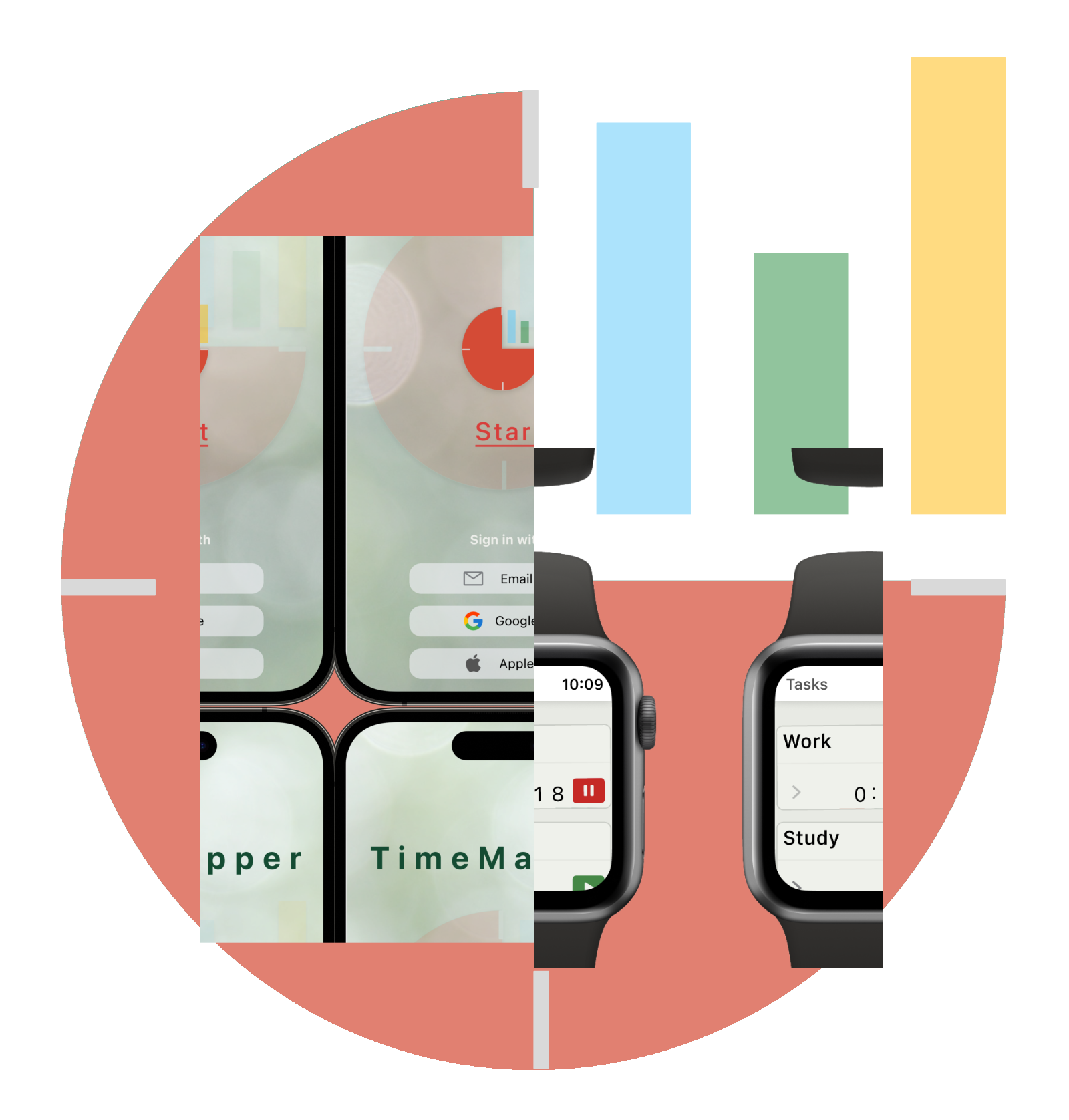
TimeMapper is an app that you can use on your phone and watch to
figure out how you'll use your time and then make plans to make
the most of it.
Unlike other apps that keep you on task or
count down your time, TimeMapper helps you create a schedule by
keeping track of how you spend your time and then helps you manage
it better!
My approach to design
Why did I choose this design process? After
understanding the problem and users needs, I realised there are
so many different application in the market each of which met
part of user's needs. Considering time limitation, budget and
resources, I decided to focus on what other applications lack
and focus on strengthen their weakness.
So, I spend enough time to explore other applications( research
phase) to come up with the best solution.
Project Overview
Hypothesis
A lot of us have really busy lives. We have to do many different things and try to make time for everything. But even when we try our hardest to plan our days, weeks, and months, we often can't finish everything we need to do. This can make us feel upset, stressed, and not happy.
Potential solution
Although things like time management apps, to-do lists, and calendars can be useful, they don't solve everything. Instead of just checking off tasks, we should aim to come up with smarter and more complete solutions.
Design Process
Empathize
- User Interviews
- Analysis of direct and indirect application
Define
- Target Group
- Persona
- Problem statement
Ideat
- How Might We.. ?
- Crazy Eights sketches
Prototype
- Information Architecture
- Wireframe
- Low-Fi Prototype
- Usability Test
- Moodboard
- High-Fi Prototype
Test
- User Testing
- Refining the design
- Accessibility
- User Testing
Core Insights of Research
Even though individuals find time management apps beneficial, they encounter fundamental issues such as the difficulty to seamlessly synchronise with their various devices. Additionally, these apps have been overloaded with features beyond their core functionality, resulting in a steep learning curve and consuming excessive time to master.
Persona

Golas
- I want to know the time distribution among my different activities
- I want feel satisfy and productive at the end of day.
- I am curious to determine the amount of time that goes to waste in my daily routine.
Pain Points
- I am burdened with lots of work to do.
- I lost all track of time.
- I am burdened with lots of work to do.
- Even though I attempted to organise my responsibilities by creating a to- do list.
- it didn't prove to be very effective.
- I feel dissatisfied with pile of incomplete tasks.
Golas
- I am looking for finding out how my time is being wasted and where can I deligate my tasks.
- I am interested to have an overview of my daily task, but every time I attempt to start recording it, I struggle to maintain consistency.
Pain Points
- I am worn out at the end of day.
- I need to prioritize certain tasks over others and make sacrifices accordingly.
- I feel unhappy with not having time for myself.

Problem Statement
Alex, is an employee in IT industry who looks to work efficiently and complete his tasks on time, because he wants to enjoy his hobbies during his spare time and increase his overall satisfaction.
Miriam, who has two children, enjoys attending cooking classes as a hobby. She wants to find a way to manage her time effectively and complete all her tasks, but she feels like her time is being taken away from her.
Site Map
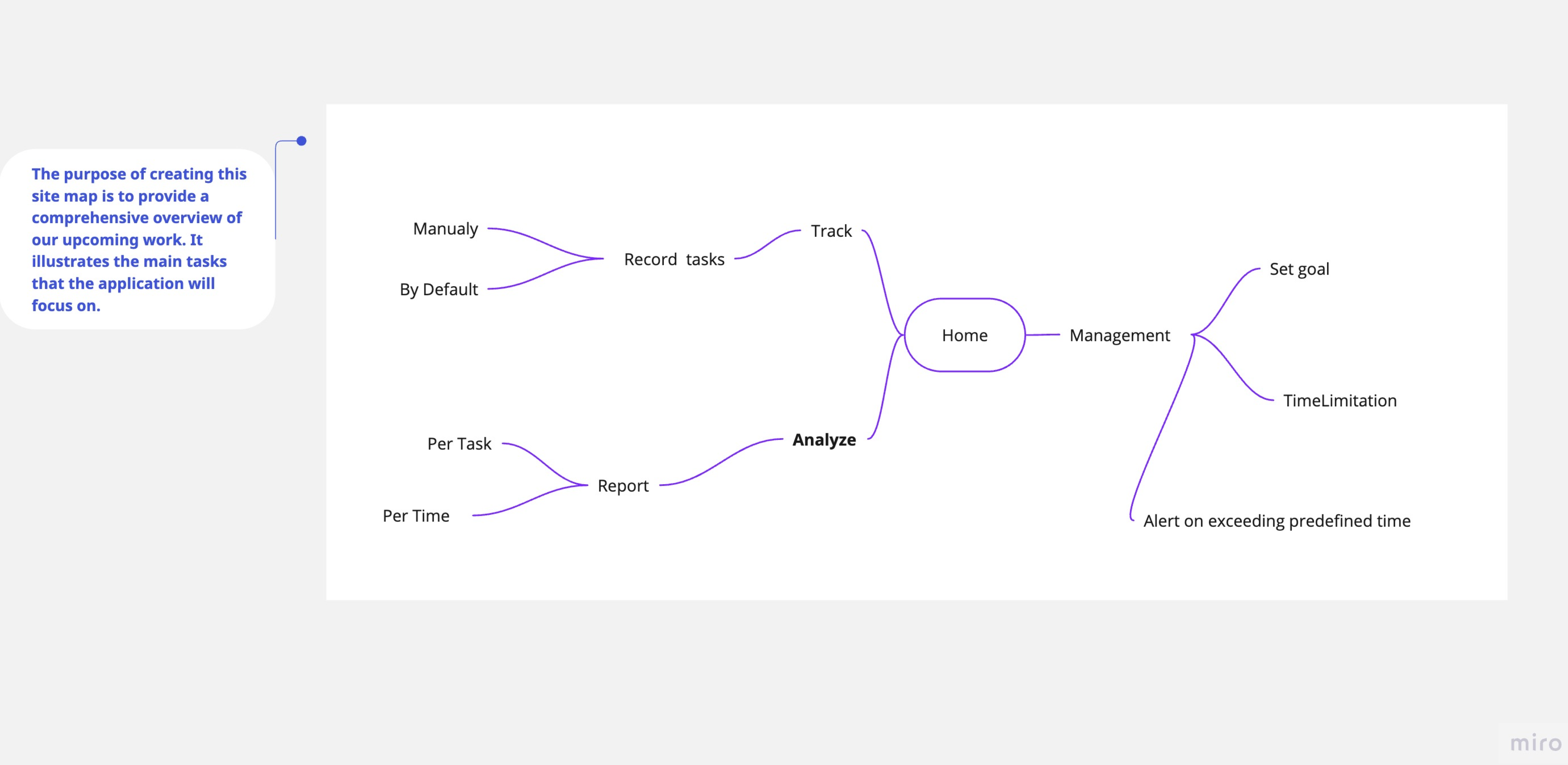
Creating a site map helped me to get an overview of structure of the application, sort them out in three main parts and ensured that all requirements are covered.
WireFrame
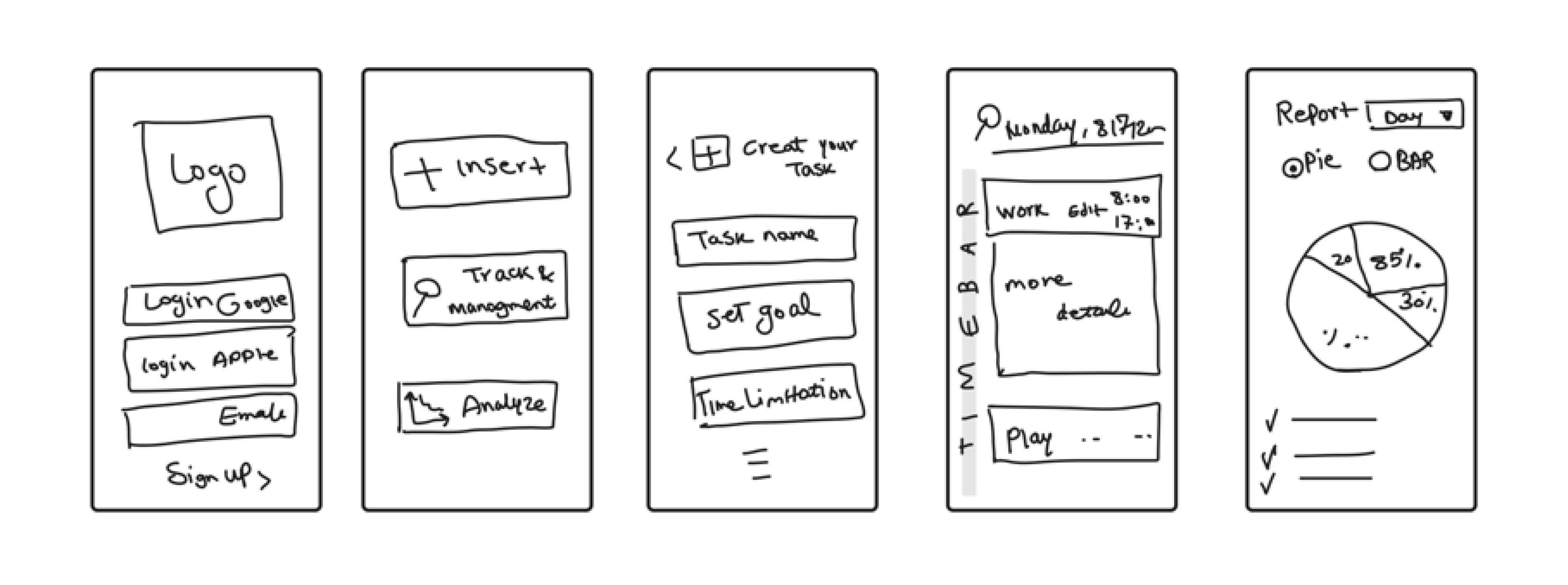
I highlighted the intended function of the product and establish the basic structure of the pages on a paper.
Usability Study
I stablished a moderate usability study with a real user, planed three scenario and asked one user (Alex) to go through with it.
- Start a task.
- Edit and change your intended tasks and save it.
- Report from what you have done through a day
Based on findings in usability study, I turn my observations into actionable insights and changed the design. To get the most out of this test, I conducted a heuristic evaluation of my prototype and note down any potential usability issues. Then compare my evaluation with the findings from the usability tests.
Pattern identification
- It has been noticed that having the login feature as the first step slows down the process and can discourage users from using the app altogether.
- Creating tasks takes a lot of time. Users usually don't spend time on a time tracker app to find out how app works.
Insight Identification
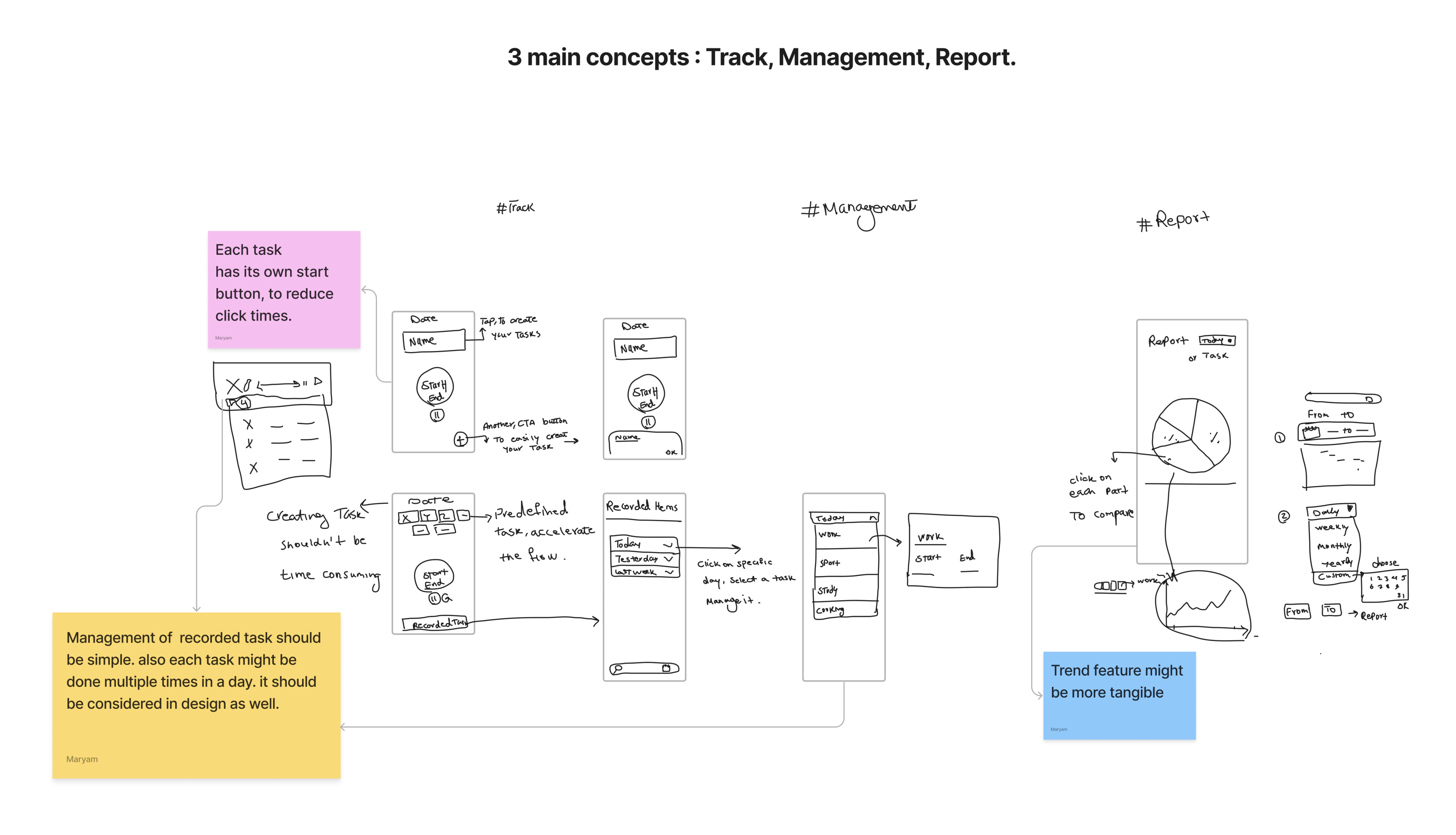
- Considering the theme, it is suggested that the login process should not be required as the initial step. Instead, users can choose to log in to their account in case authorisation is needed.
- Considering the primary goal of this app, it is important to minimize the number of clicks and provide users with a shorter path to accomplish their tasks.
Wireframe after Usability study
I highlighted the intended function of the product and establish the basic structure of the pages on a paper.
Edge case
Time Overlaping!
When we examine the typical way users go about tracking and
managing their time and tasks, everything seems fine until we
encounter situations where time overlaps and multitasking become
factors.
Users might find themselves doing two or more tasks
simultaneously, like listening to a podcast while cooking, for
instance. This raises questions about whether it's practical to
record two tasks at the same time.
Additionally, we need to think about how complex it might be to
generate reports that include overlapping time tasks from a
technical perspective. In scenarios like this, especially in
larger, real-world projects, it's important to prioritise these
unusual situations by evaluating their importance to the
business.
In my project, I made the decision to maintain a
one-to-one relationship between tasks and times and intentionally
avoided handling this exception due to the complexities it would
introduce in report calculations and UI design. Instead, I
concentrated on refining the main user workflow and enhancing the
core user experience.
High-fiedelity Mockups
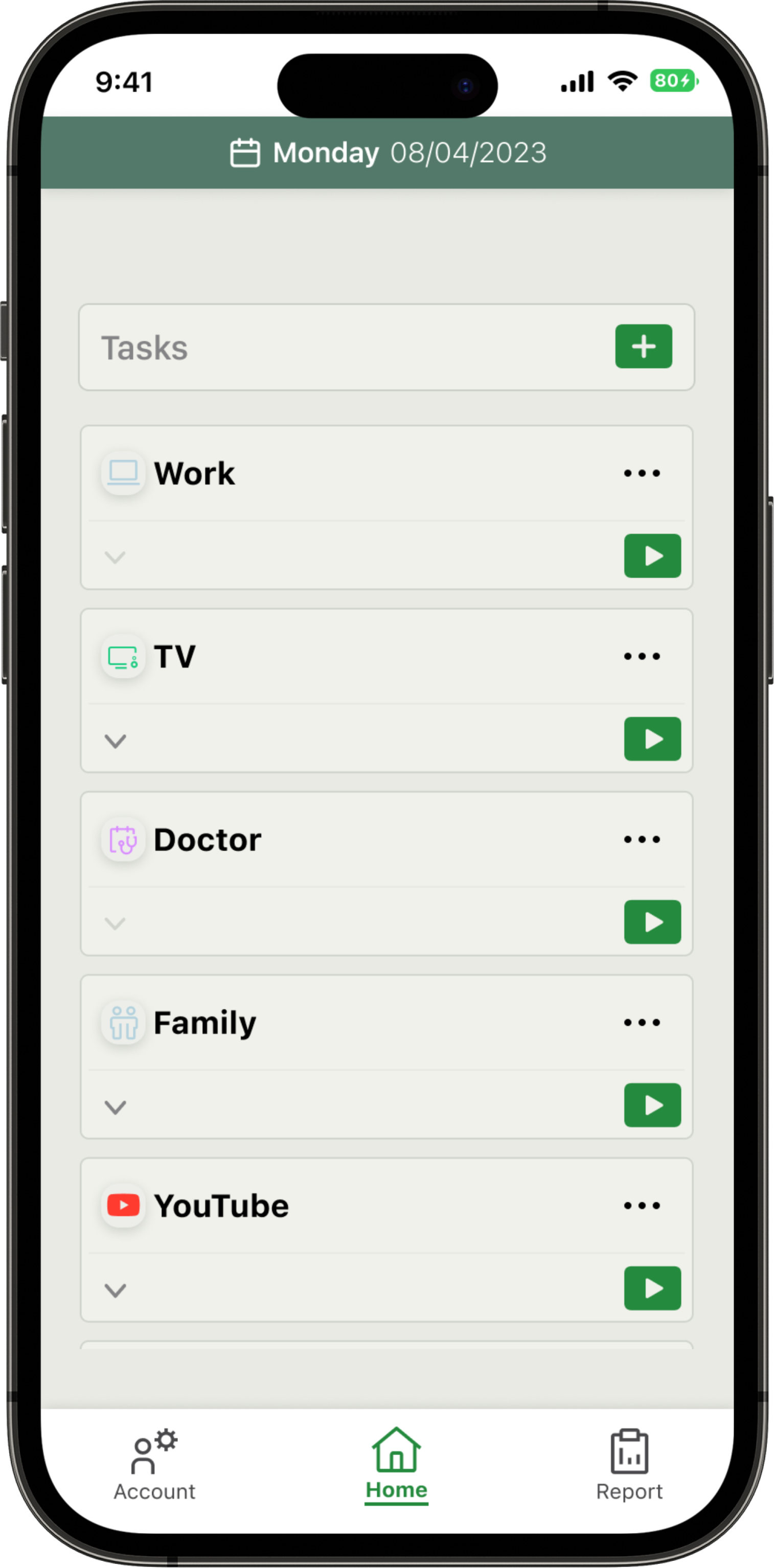
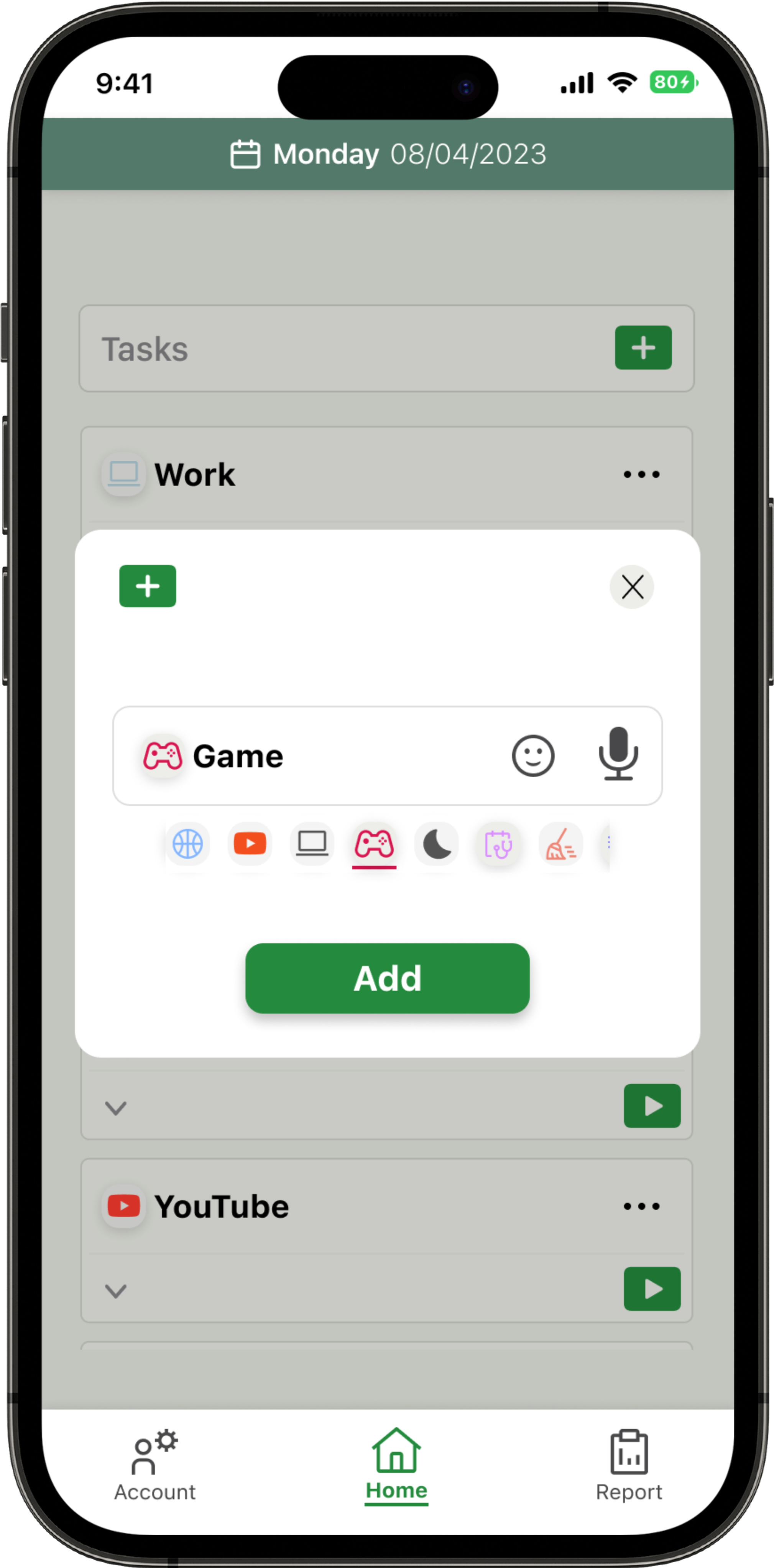
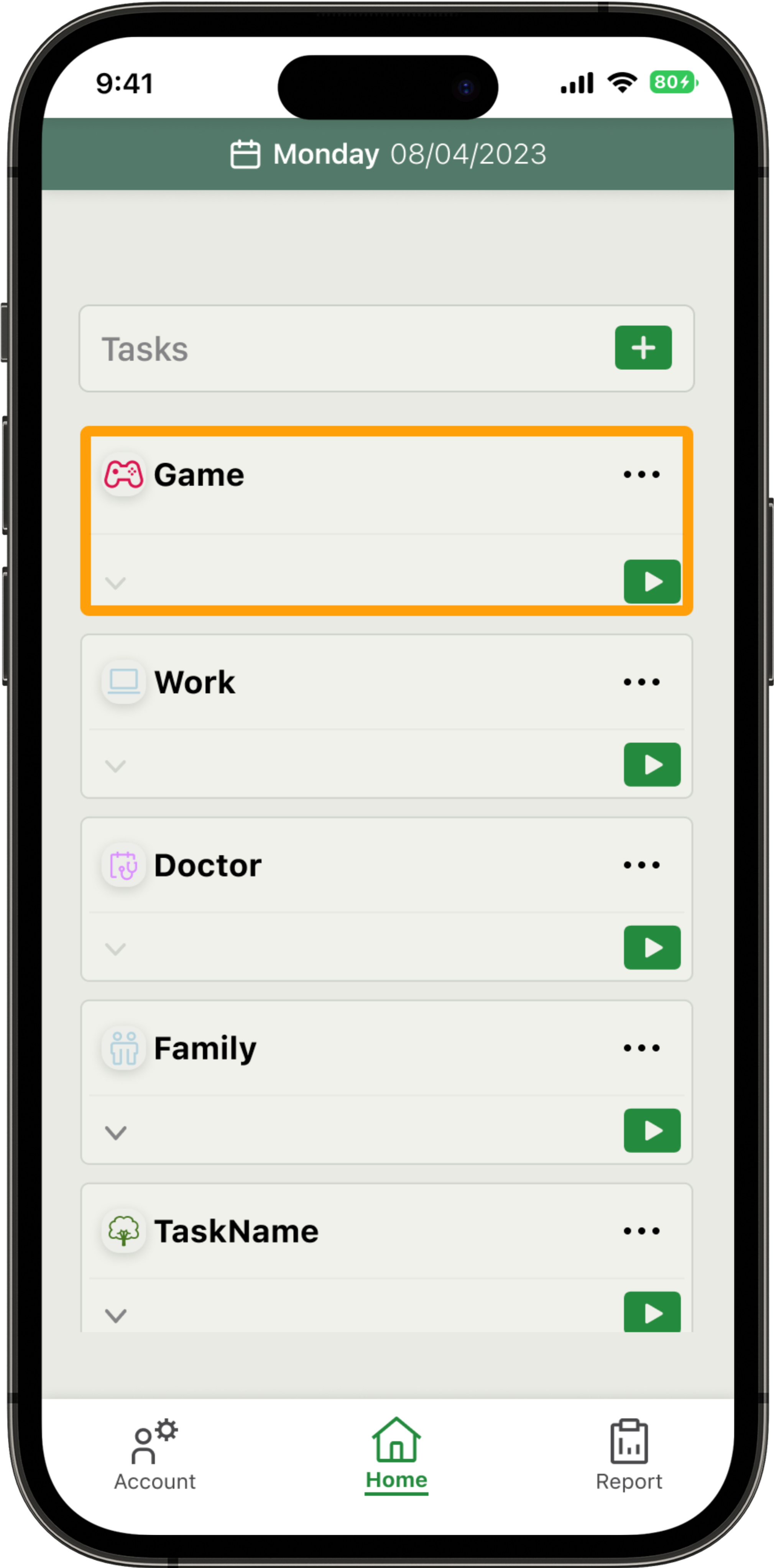
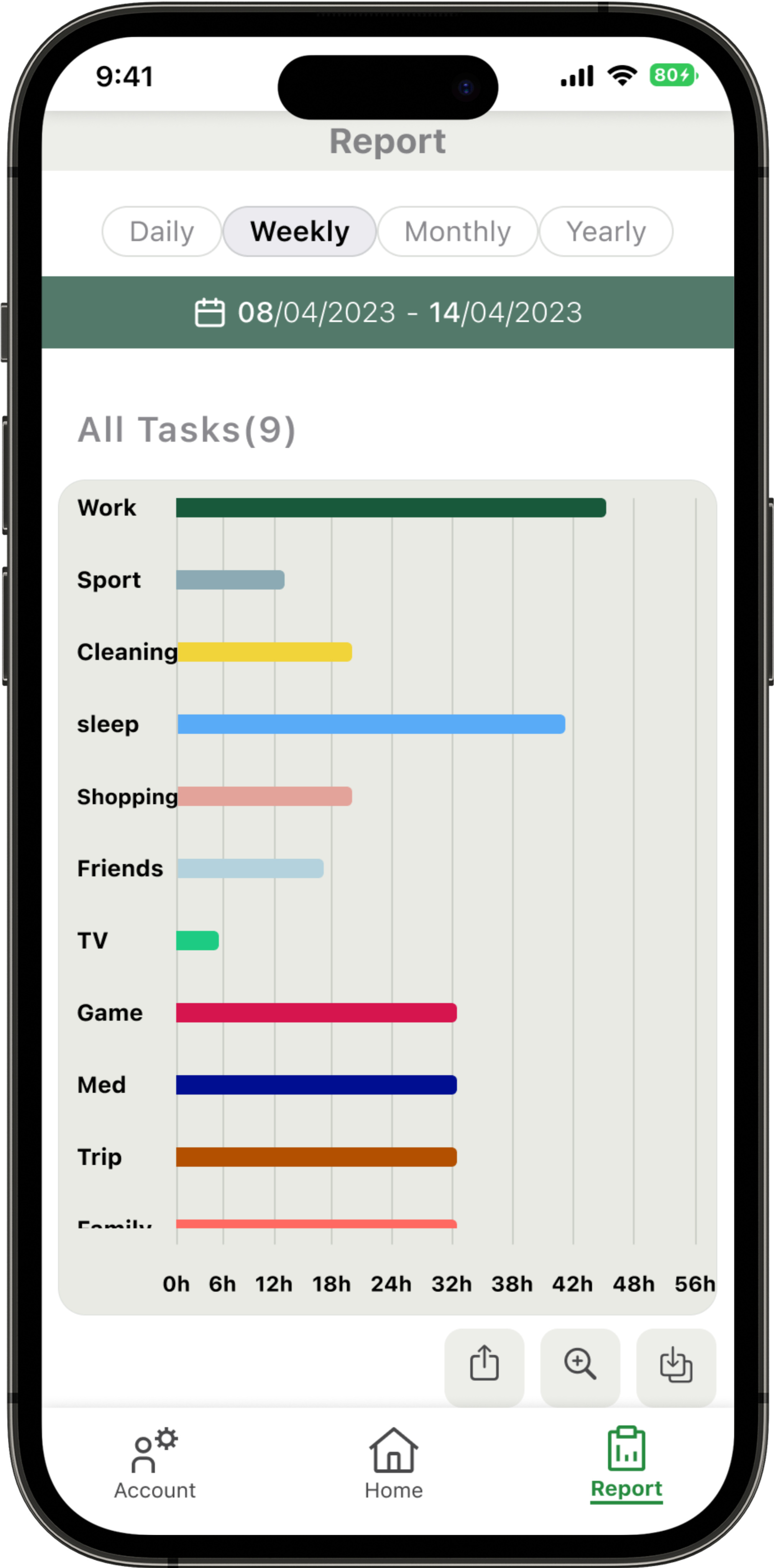
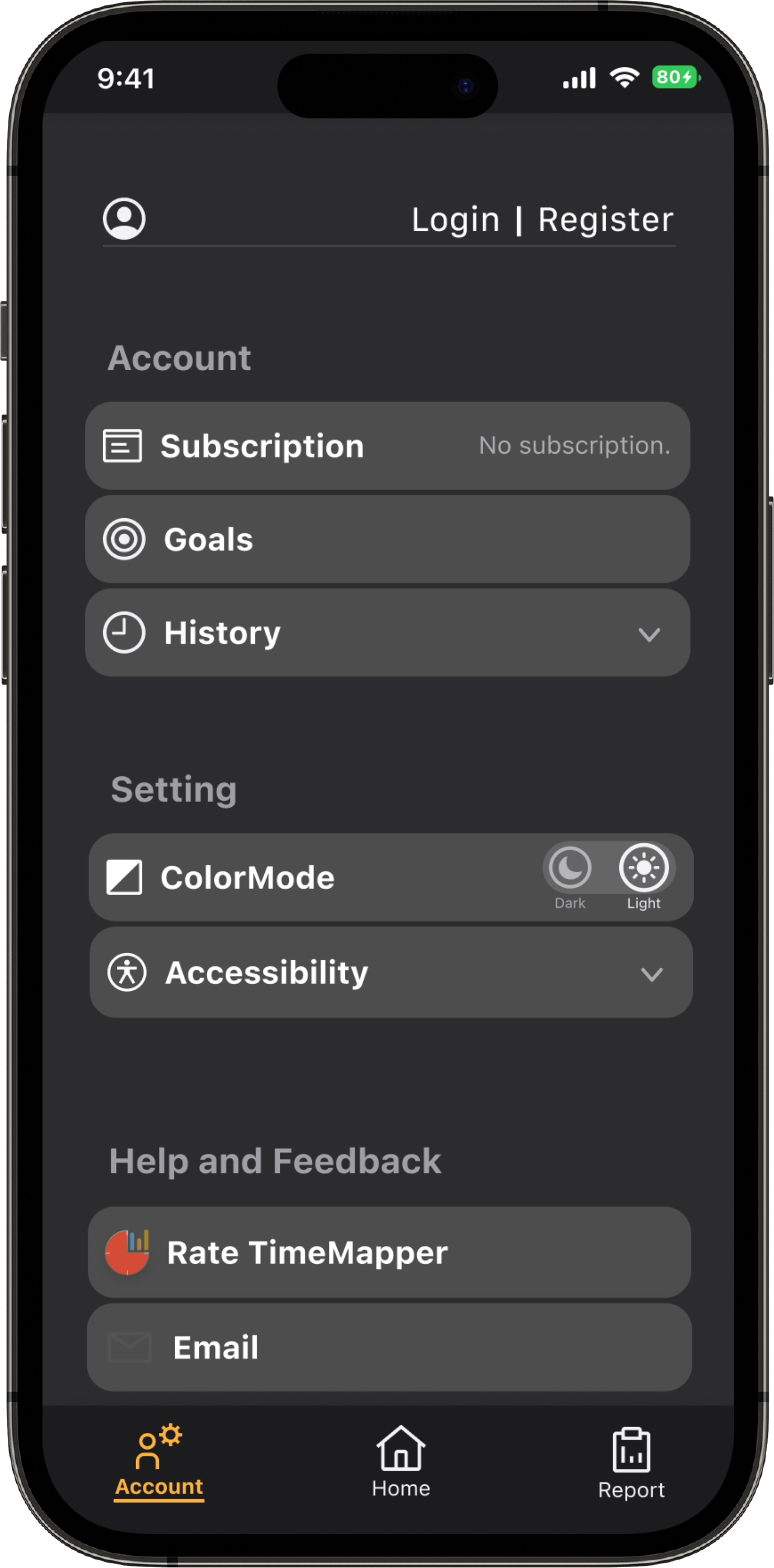
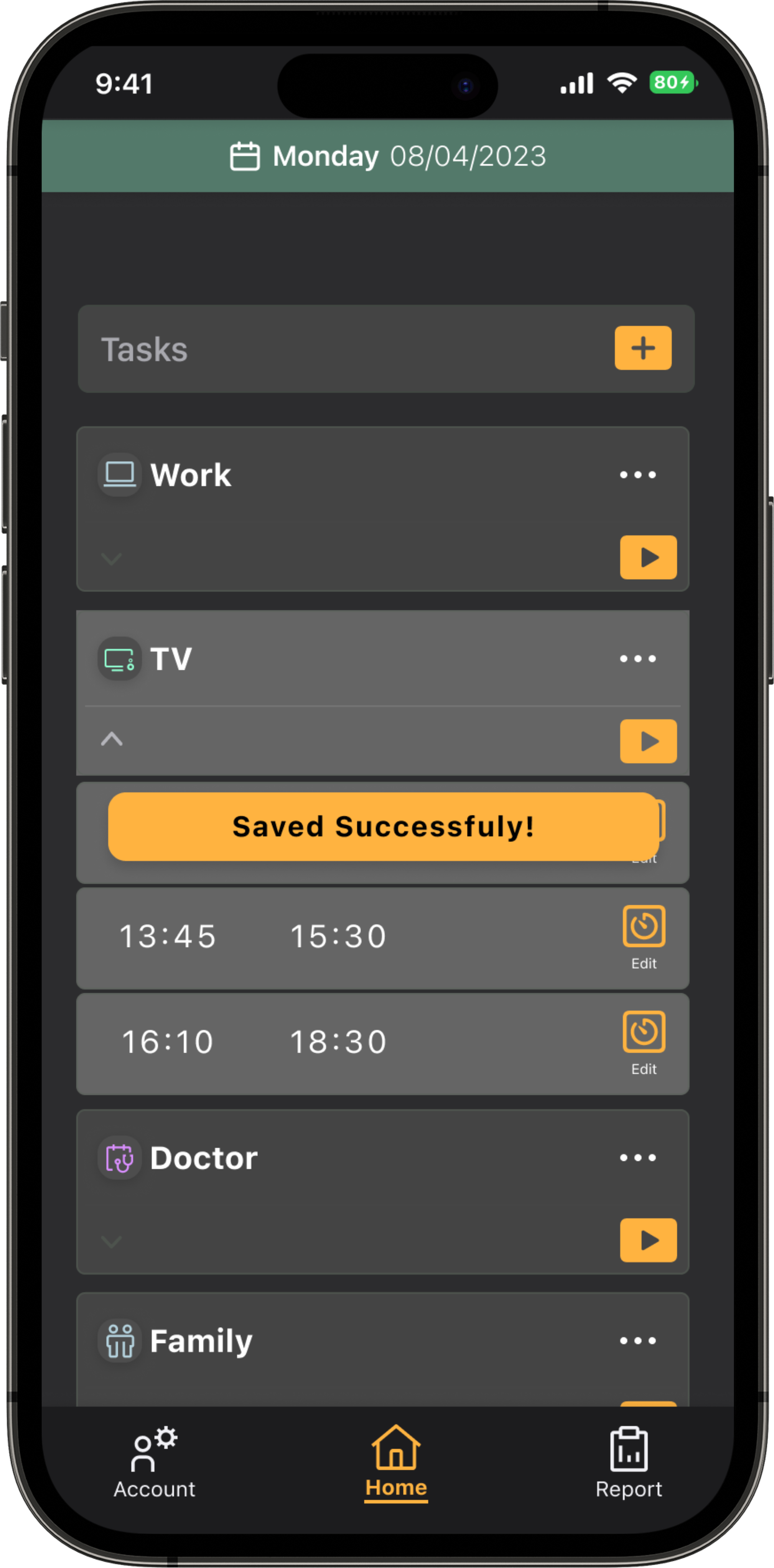
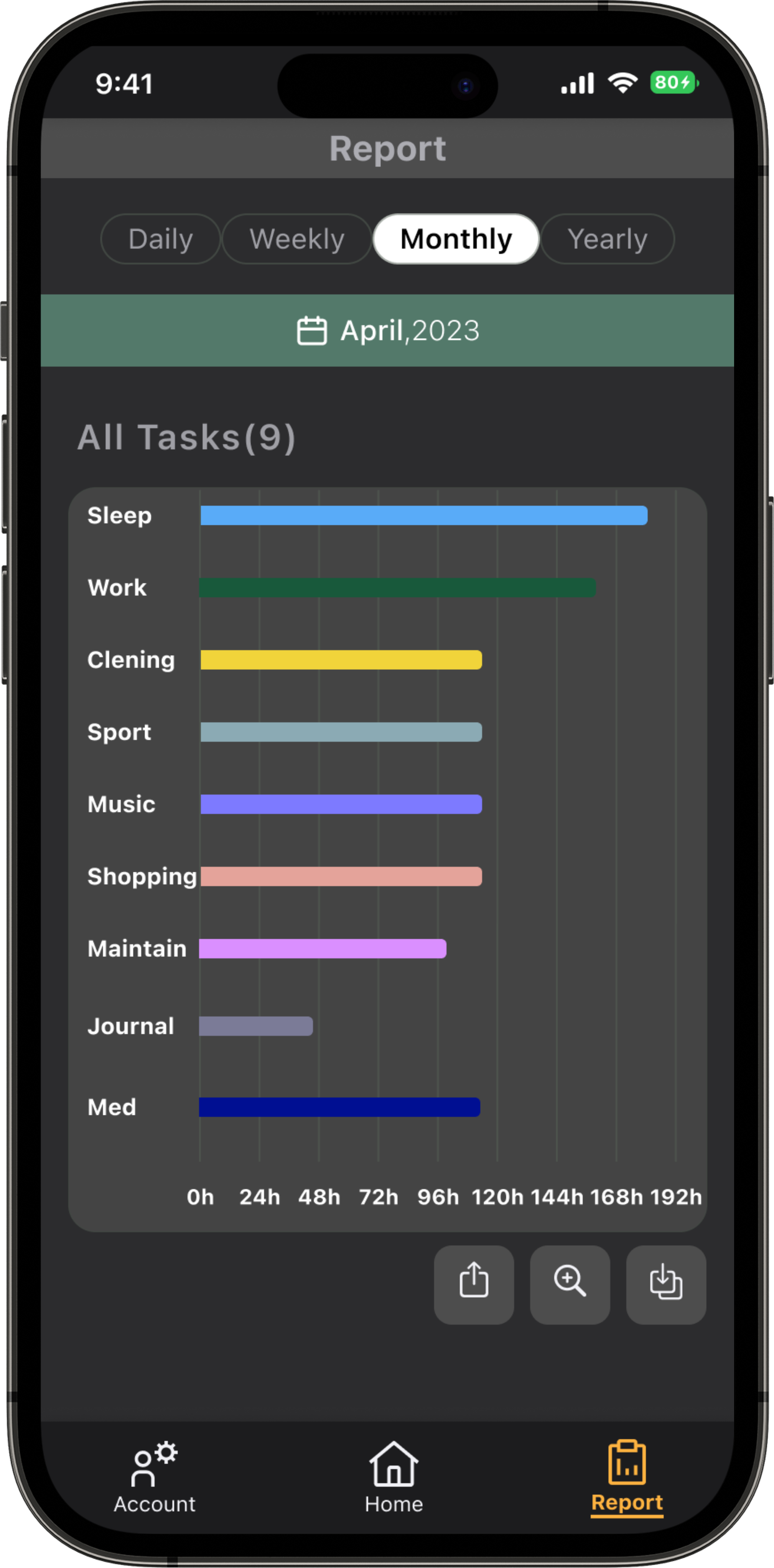
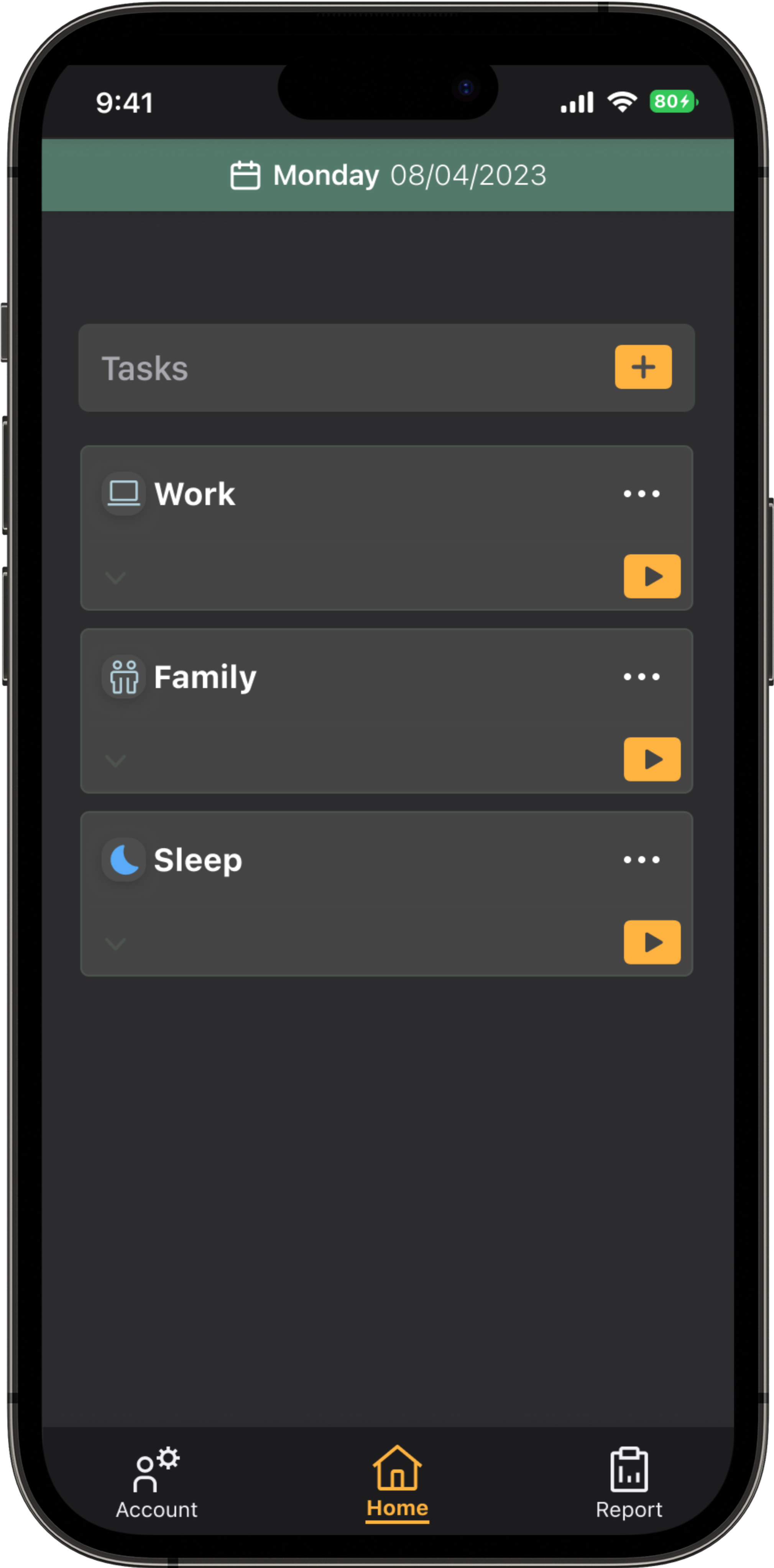
In the second round of usability study used a high-fidelity
prototype and revealed what aspects of the mockups needed refining.
Dark Mode
Smart Watch
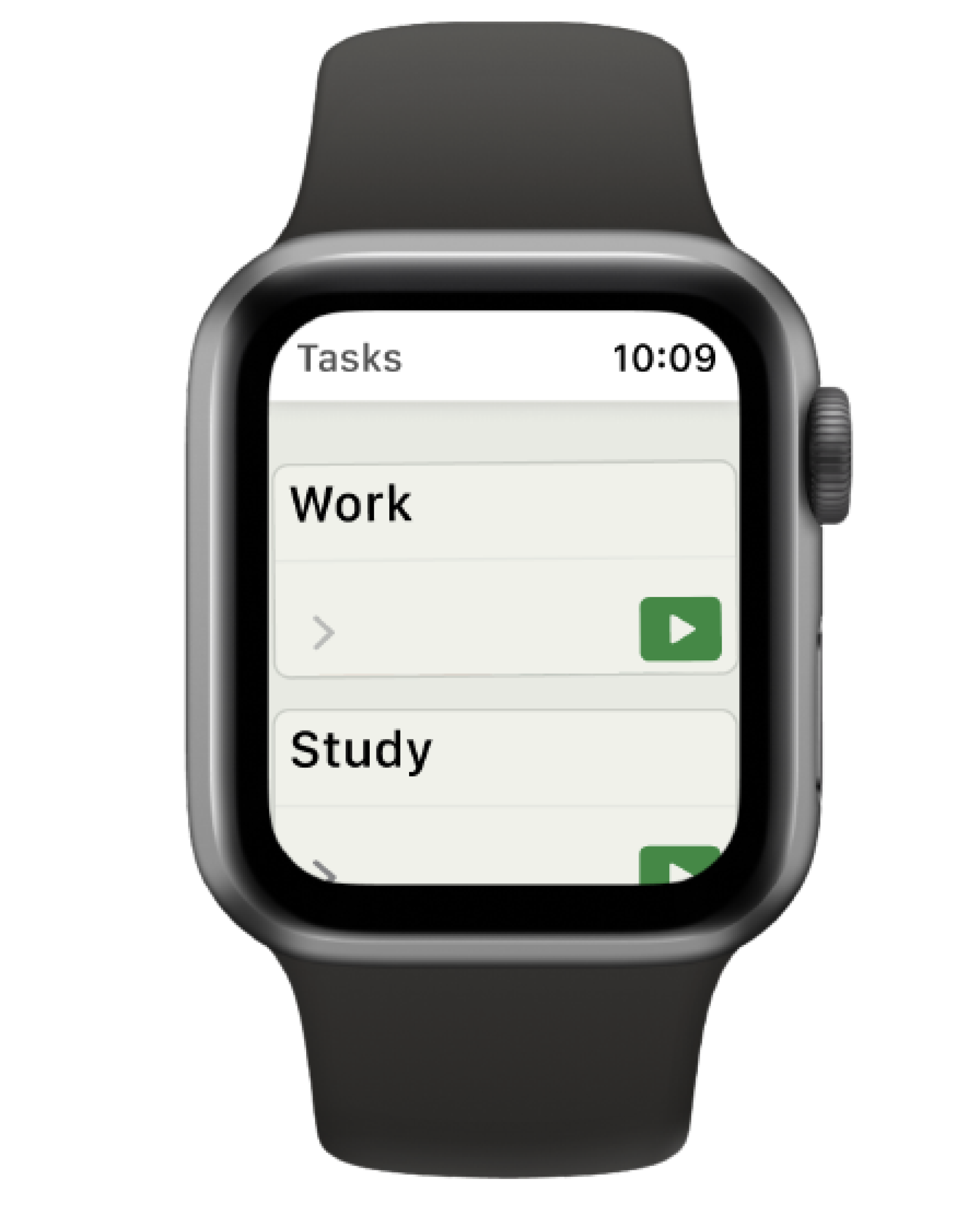
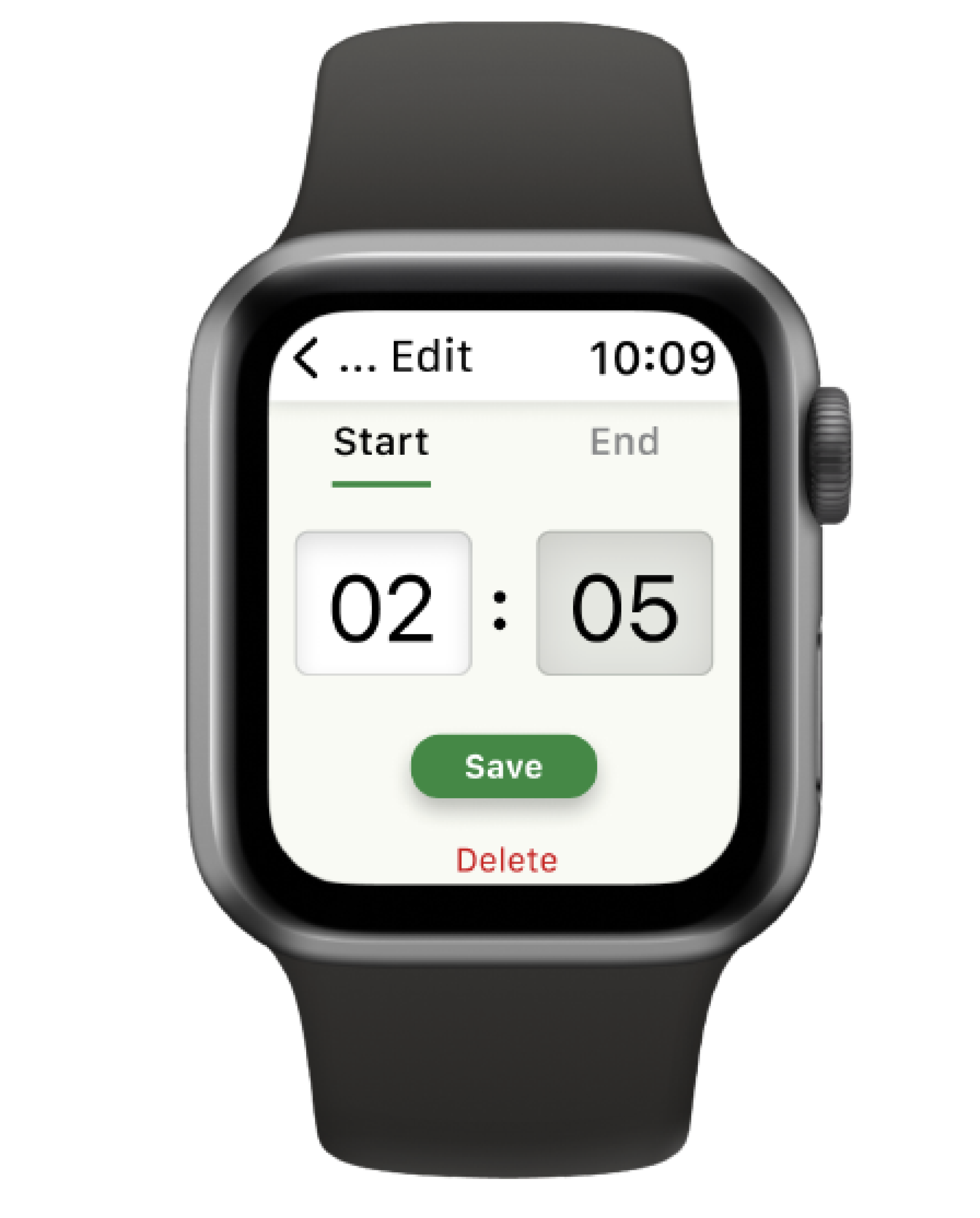
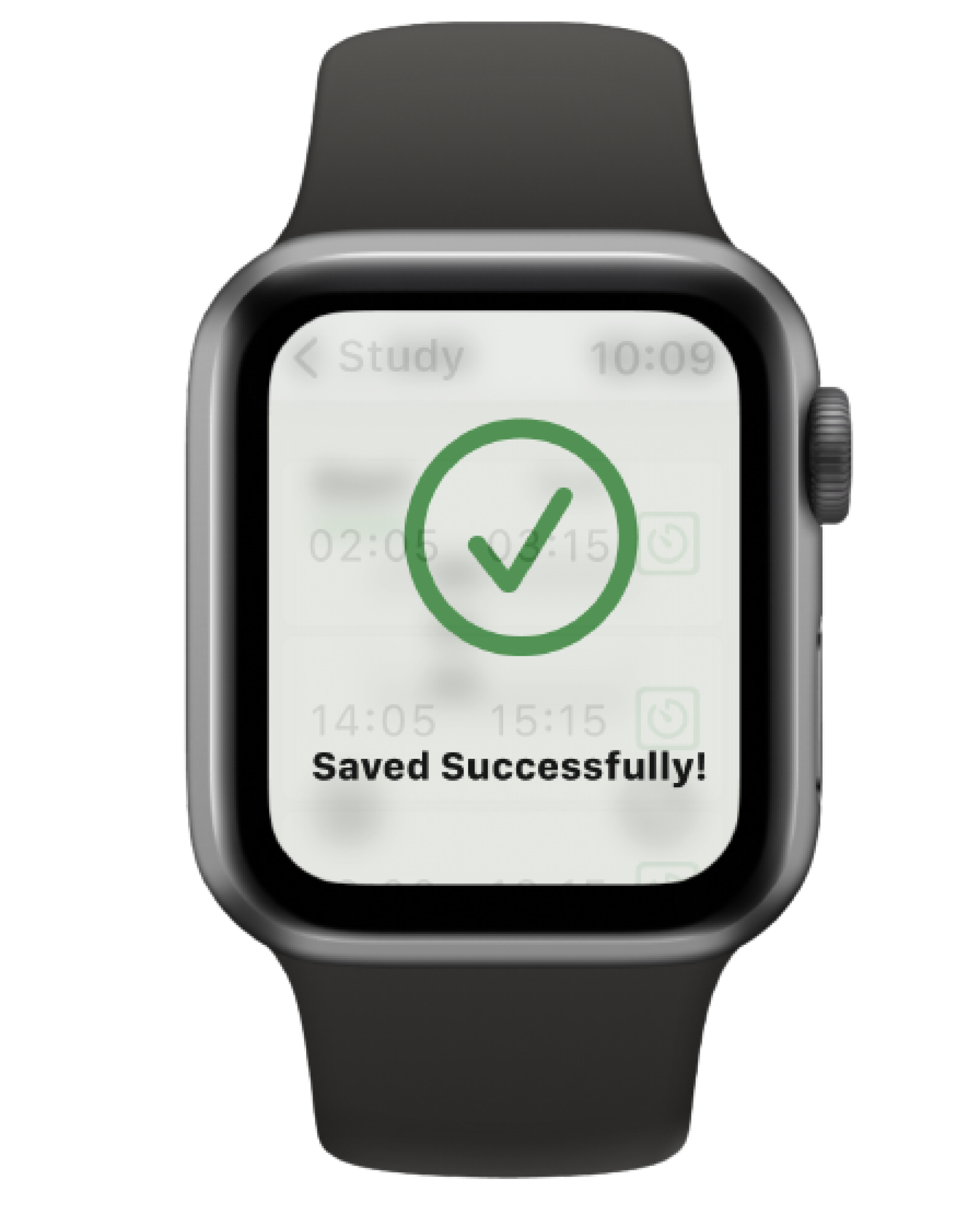
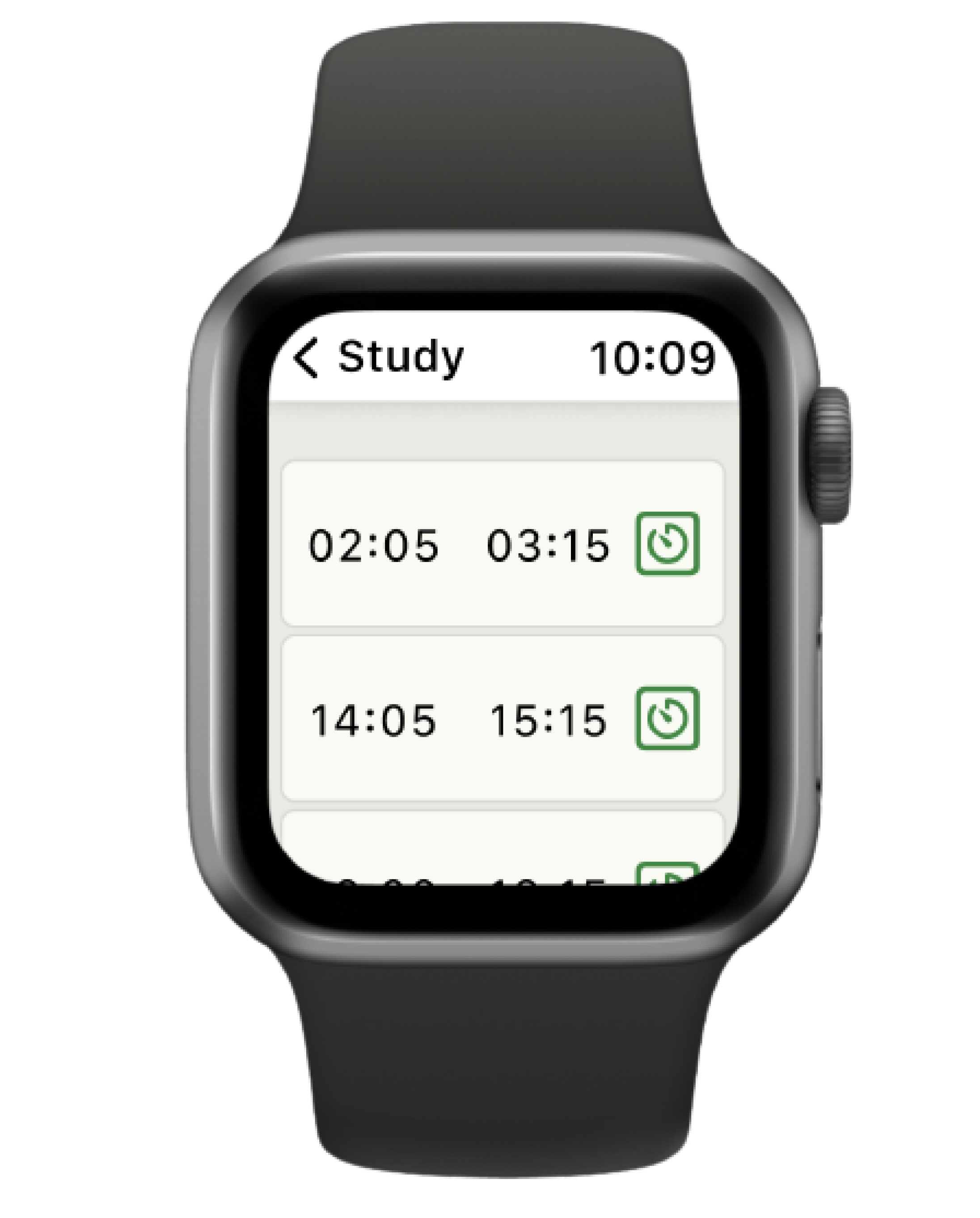
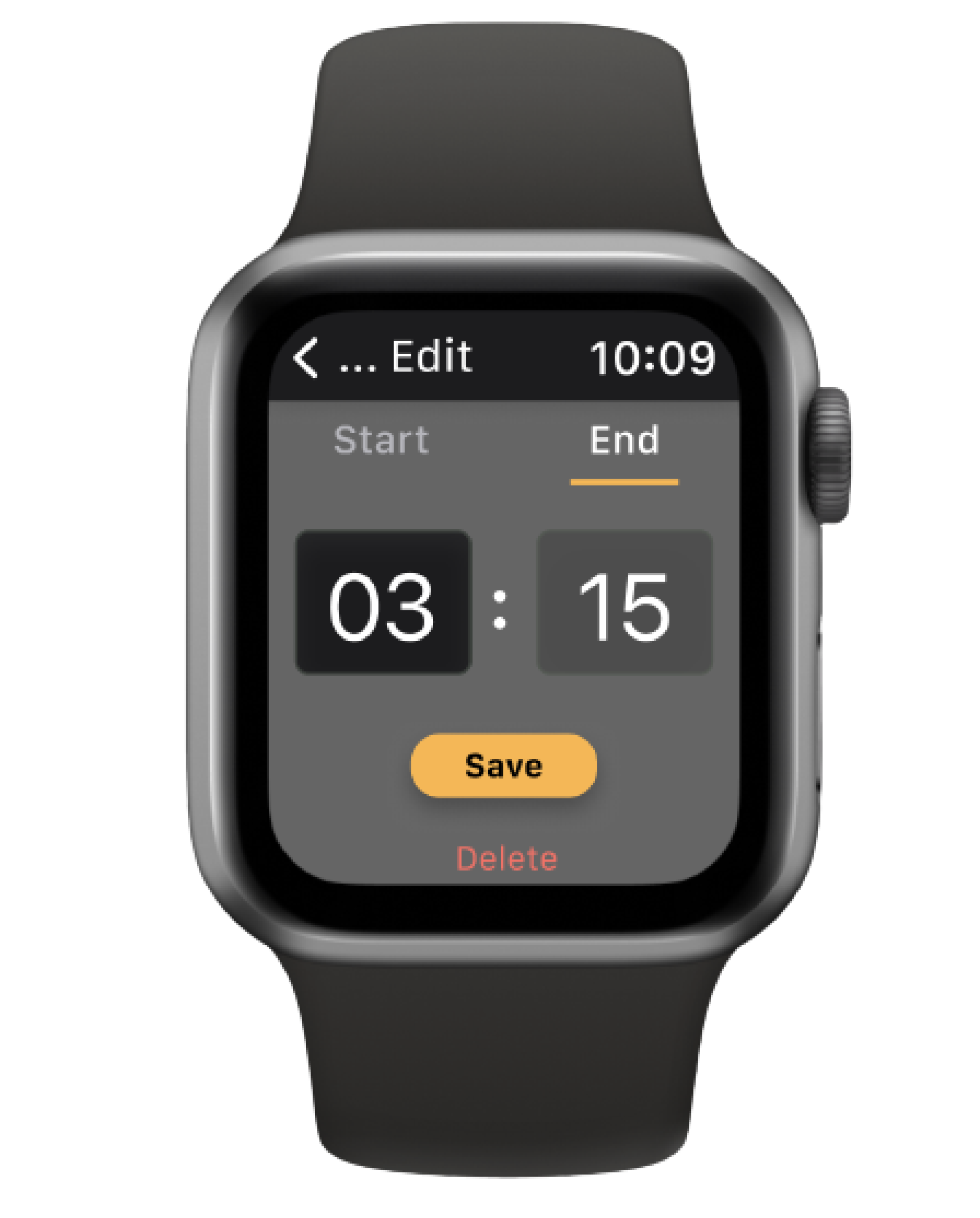
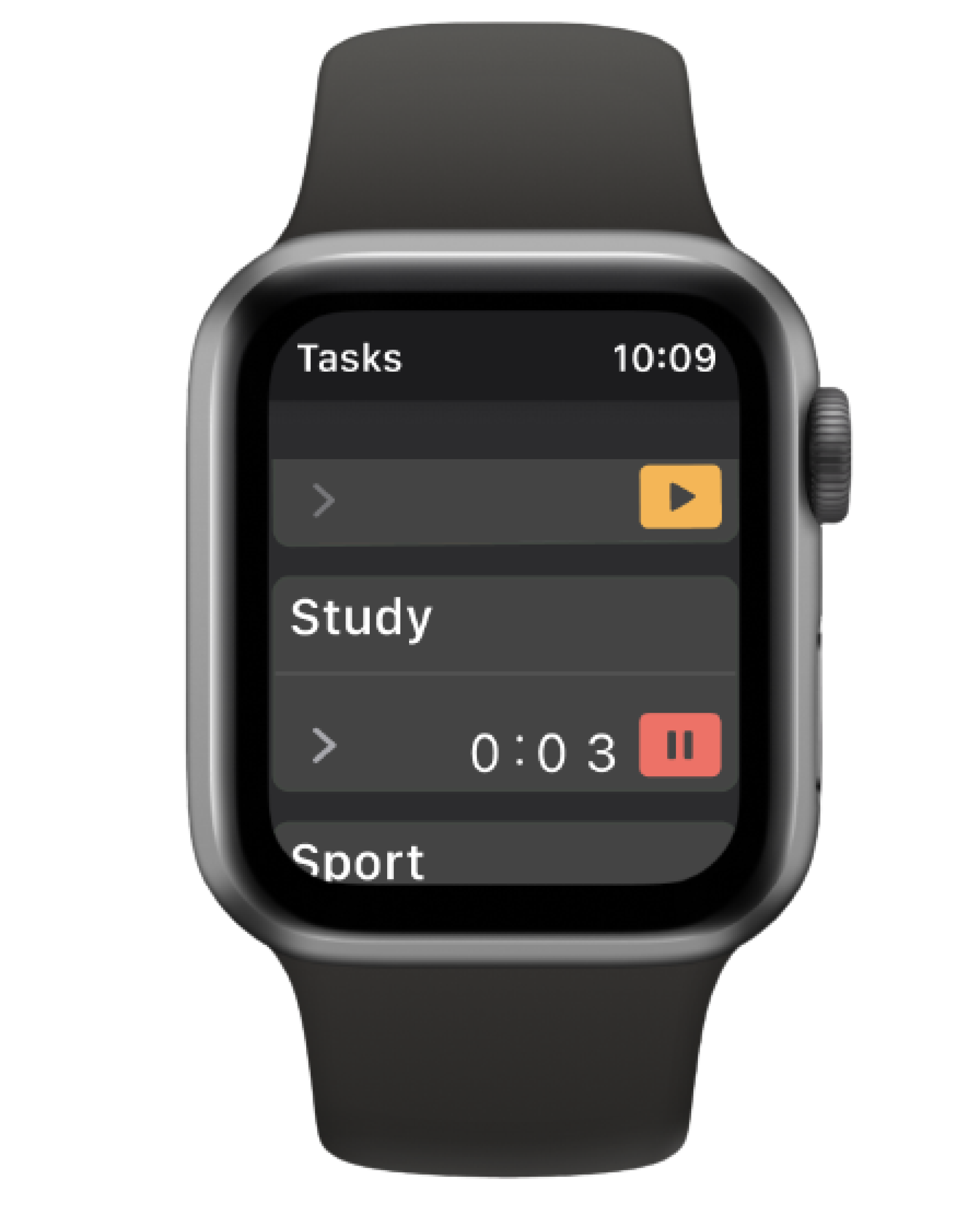
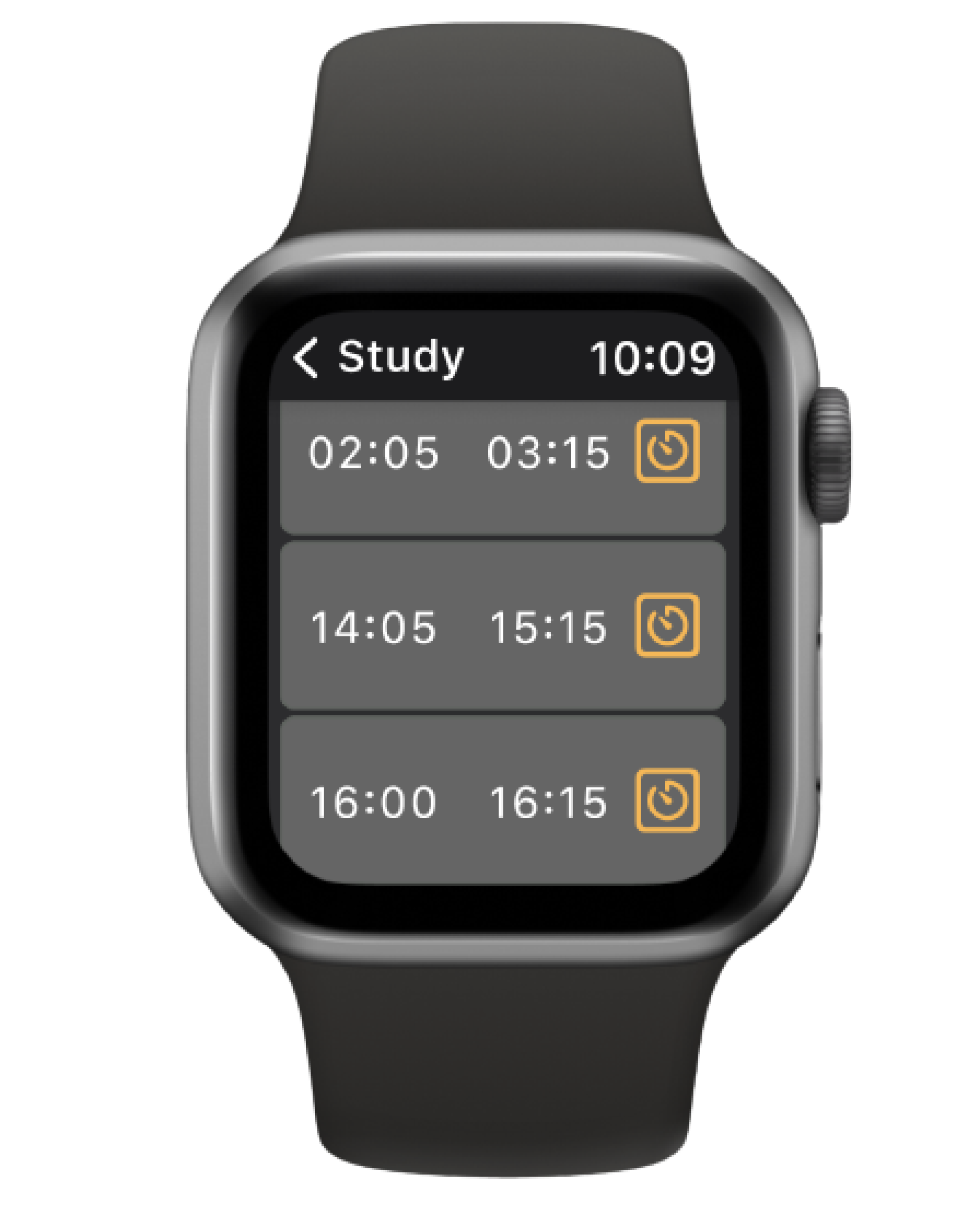
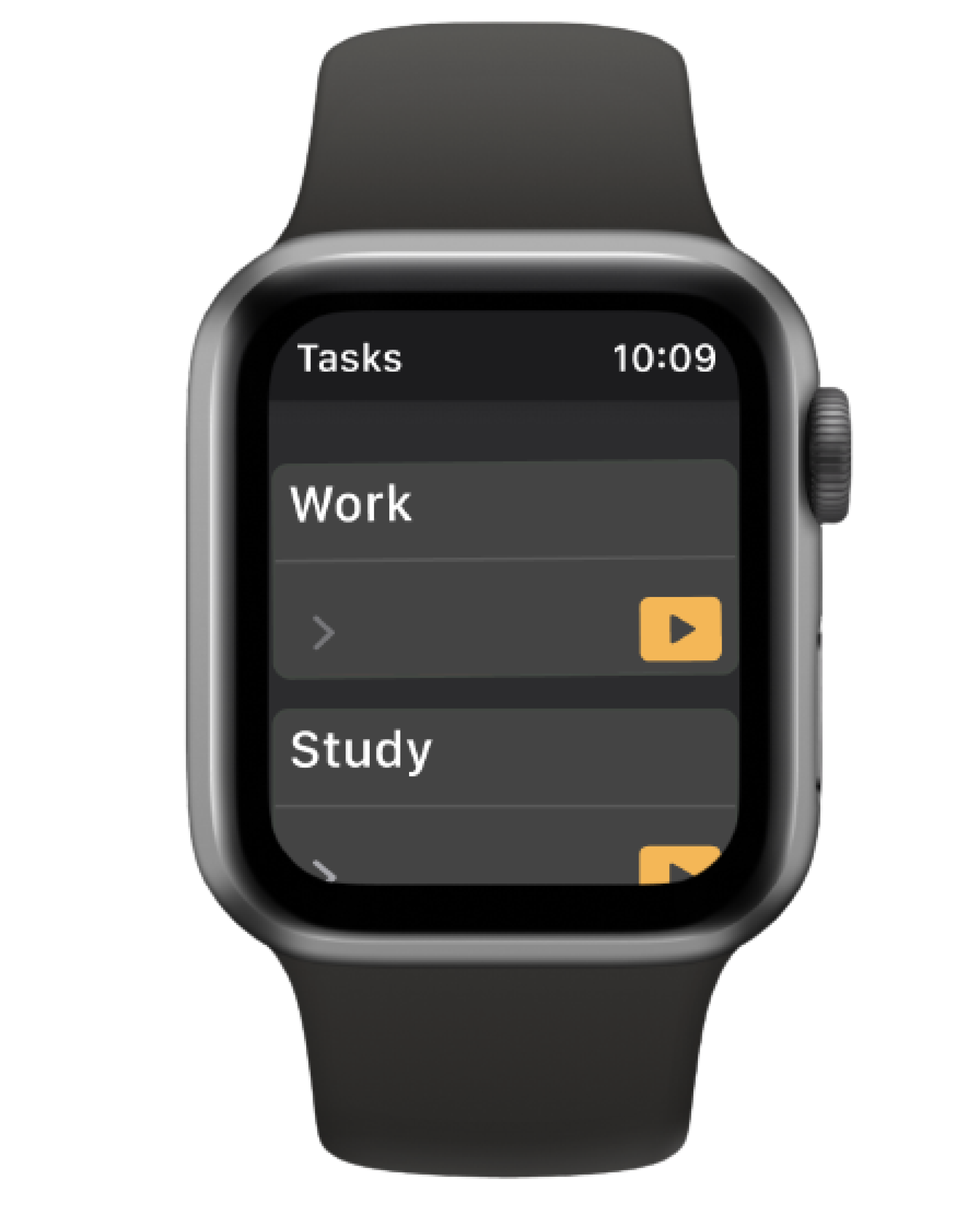
Cross-platform availability is another reason we need to take into account. Integration with the application on other platform will allow seamless data synchronisation and reduce the need for manual data entry multiple time. So, considering the concept smart watches are the second mean that people would use easily to track their times. Here are some picture of Watch prototype.
Process Reflection
During the design process, I found it incredibly rewarding to
truly grasp my client's needs, implement their exact requirements,
and empathize with and identify their pain points. Seeing their
satisfaction and belief in my work was truly worth it.
Additionally, I enjoy going through research to strike a
balance between design and practicality. Leveraging my
engineering knowledge, I strive to
find harmony between the user interface components in design
and the coding aspect in terms of cost-effectiveness and time
efficiency.
And, as always, I enjoy working with prototyping software until I
achieve satisfactory result. It provides a vast canvas for me to
bring my ideas to life.
Next Step
Provide users with more details of PRO version، such as: synchronisation among multiple devices, set goals, make more specific reports , advanced search. Launch the product and there always be next steps.
Thank You
for your time and attention.
Curious about your thoughts and
feedback.